What a Moving Company Website Needs Before Customers (and AI Tools) Trust It
Reviews get a moving company onto the shortlist. The website is where the shortlist gets cut.
BrightLocal's Local Consumer Review Survey 2026, a panel of 1,002 US adults, found that 54% of consumers visit a business's website after reading positive reviews, up from 32% when the question was last asked in 2019. Only 34% said they were ready to book straight from the reviews; 66% kept researching. The same survey found 45% had used ChatGPT or other AI tools for local recommendations, up from 6% the year before.
Moving customers have a particular reason to look hard. The Federal Motor Carrier Safety Administration (FMCSA) publishes a list of red flags for moving fraud, and one of them is about websites: "The company's website has no local address and no information about their registration or insurance." A legitimate mover with a thin website can look, to a careful customer, exactly like the companies the government warns about.
This checklist covers what a moving company website should show, what federal rules already require for interstate movers and brokers, and what helps search engines and AI assistants describe you accurately. It is not legal advice; if you are unsure how a rule applies to your company, ask a transportation attorney or your state regulator.
1. The federal basics (interstate movers and brokers)
If you move household goods across state lines, some of your website is not optional.
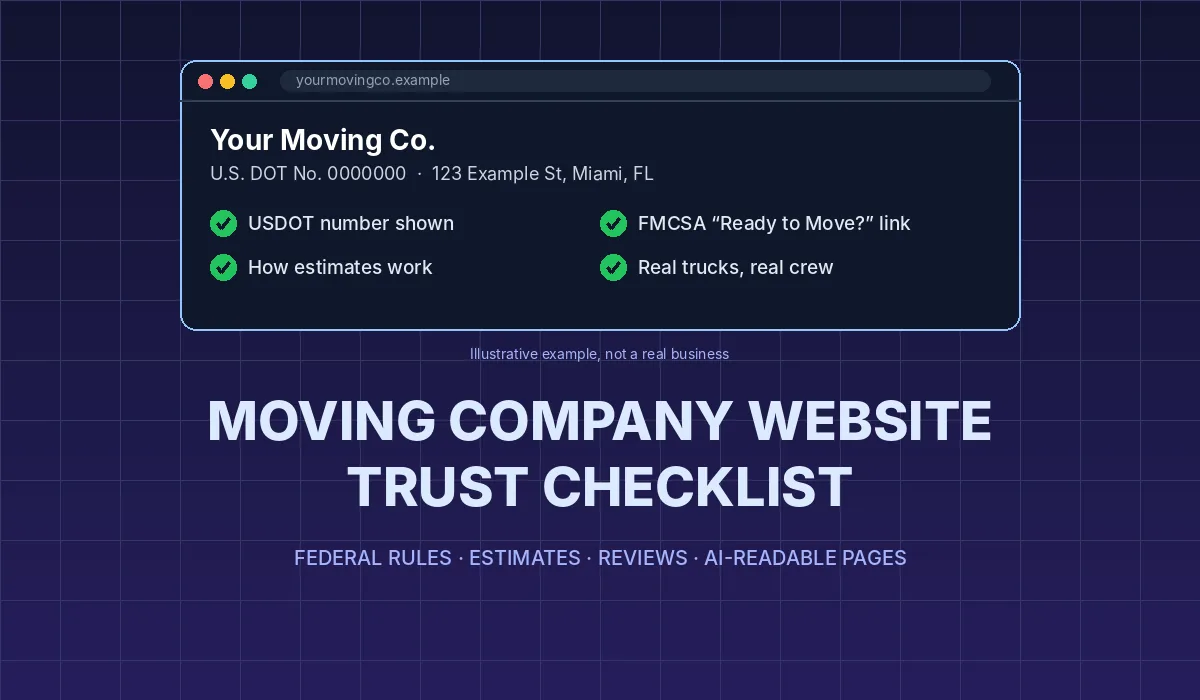
Your USDOT number, in the right format. Under 49 CFR 375.207, household goods carriers must "publish and use only truthful, straightforward, and honest advertisements," and every advertisement must include your name or trade name as it appears on your USDOT registration, and your USDOT number, displayed as "U.S. DOT No." followed by the number. A footer on every page is the simplest way to meet this and the easiest place for a customer to find it.
A prominent link to FMCSA's consumer publications. Under 49 CFR 375.213, a mover with a website must prominently display a link to the FMCSA page for "Ready to Move?" (or a true copy of it), and give prospective customers "Your Rights and Responsibilities When You Move," which can also be done by linking to FMCSA's page. The website link requirement came in with FMCSA's 2022 household goods rule, which, as J. J. Keller summarized, took effect in June 2022 with enforcement from October 31, 2022. Both links belong somewhere a customer will see them before they book, not buried on a page nobody opens.
If you are a broker, say so. Brokers have their own rule. 49 CFR 371.107 requires a household goods broker's advertisements and homepage to prominently show a physical street address, city and state; the broker's USDOT and MC numbers; and a statement that it is a broker that will not transport the goods itself and will arrange the move with an FMCSA-authorized carrier. A broker may only use the names or logos of carriers it has a written agreement with. FMCSA's Ready to Move? brochure warns consumers that "A broker does not assume responsibility for the cargo," so customers who understand the difference will look for this statement. Hiding it costs trust and can break the rule.
Local movers who only operate within one state may fall under state rules instead. Requirements differ by state, so check with the agency that licenses movers where you operate.
2. Proof a customer can check
The FMCSA brochure tells consumers to "Make sure the mover you select has been assigned a USDOT number," to confirm registration and insurance, and to check with the Better Business Bureau. A customer who does that will compare what they find with what your website says. Make the comparison easy.
- A real street address and the same company name everywhere. The name on your site should match your registration, your Google Business Profile and your truck doors. A site with only a phone number and a contact form matches FMCSA's red flag word for word.
- A phone line answered with your company name. FMCSA lists a phone "answered with 'Movers' or 'Moving Company,'" not a company name, as another red flag. Put the number in the header and make sure whoever answers says who you are.
- Photos of your own trucks, crew and warehouse. FMCSA flags "a rental truck" on moving day and offices or warehouses that are "in poor condition or nonexistent." Real photos of your marked fleet and facility answer that worry before it comes up. Never use stock photos dressed up as your team.
- Insurance and valuation explained honestly. FMCSA's red flags include a mover that "claims all goods are covered by their insurance." Explain in plain words what protection the customer gets, what costs extra and how claims work, and link to the Rights and Responsibilities booklet for the details.
- Licensing and memberships you can back up. List memberships and state licenses only if a customer can verify them, with a number or a link.
3. An estimates page that answers the hard questions
Price is the question every visitor has, and it is also where FMCSA's warnings cluster: estimates given "sight unseen," no written estimate, demands for cash or "a large deposit before the move," and movers who later claim you have more belongings than estimated.
A good estimates page turns those warnings into reasons to trust you.
- Say how you estimate. Federal rules for interstate moves require a written estimate before the bill of lading, based on a survey of the goods (49 CFR 375.401). FMCSA's 2022 rule also allowed virtual surveys. Tell visitors whether you do in-home walk-throughs, video surveys or both, and how long each takes.
- Explain binding and non-binding estimates in a sentence or two each, and say which you offer.
- State your deposit and payment policy. If you take a deposit, say how much and when it is refundable. Say which payment methods you accept; FMCSA lists demands for cash as a red flag.
- Say what changes the price. Stairs, long carries, packing, storage, added items. FMCSA tells consumers that if a mover claims there is more to move than estimated, they should require a new estimate both sides sign before packing and loading; telling customers this up front is a selling point.
- Be careful with "instant quote" tools. A calculator that shows a ballpark range is fine if it is labeled as a range. One that presents a firm price without seeing the home looks like the sight-unseen estimate FMCSA warns about.
If you publish typical price ranges, label them as ranges, date them and explain what they include.
4. Reviews and testimonials, done the safe way
Your website is not a neutral host for reviews. In its questions and answers on the Consumer Reviews and Testimonials Rule, FTC staff say "A business that puts testimonials on its own website is disseminating them and is not merely 'hosting' them." When you feature customer reviews in marketing, they "become testimonials," and staff note that using non-representative reviews in marketing "could be deceptive."
In practice:
- Quote only real customers, with permission, and never write or edit a testimonial into something they didn't say.
- If an employee, relative or partner appears in a testimonial, make the relationship clear.
- Link to your full profiles on Google, BBB and Yelp so customers can see everything, not only your favorites.
- Don't add star-rating markup for reviews of your own business. Google's local business structured data documentation limits aggregateRating and review markup to sites that review other local businesses.
Our guide to getting more Google reviews without breaking Google or FTC rules covers the review side in more detail.
5. Pages that answer real questions
Customers and AI assistants both need specifics. A homepage that says "full-service moving solutions" tells neither of them anything.
- One page per core service: local moves, long-distance moves, packing, storage, commercial or office moves, specialty items. Each should say who it is for, what is included and how pricing works for that service.
- Service areas in plain text. List the cities, counties and common routes you serve as text a person can read, not only a map image.
- First-hand detail. Google's guide to optimizing for generative AI features (updated July 10, 2026) recommends content that is "helpful, reliable, and people-first" and to "Create the content yourself based on what you know about the topic." For a mover, that means what a typical three-bedroom move involves, how you handle pianos or high-rise elevators, and what customers most often get wrong about moving day.
- An FAQ written from real calls. The questions your office answers every week are the questions people type into search and AI tools.
6. Technical basics that let search engines and AI tools read the site
You don't need special files for AI. Google says "You don't need to create new machine readable files, AI text files, markup, or Markdown to appear in Google Search," and that structured data "isn't required for generative AI search." What matters is that pages are crawlable, indexed and eligible to show a snippet, and that visitors get a good experience on every device.
- Text, not images. Your USDOT number, address, hours, services and areas should be real text on the page, not baked into a banner graphic or a PDF.
- Don't block the crawlers you want. OpenAI's crawler documentation says sites that block OAI-SearchBot "will not be shown in ChatGPT search answers, though can still appear as navigational links." Blocking GPTBot is a separate choice about model training and doesn't affect ChatGPT search. Check your robots.txt, and check that a security plugin or CDN setting isn't blocking these bots by accident.
- Basic structured data. It isn't required for AI features, but LocalBusiness markup with your name, address, phone, URL and hours helps Google understand the business. Google's documentation recommends using the most specific type available; schema.org has a MovingCompany type for exactly this. Keep the markup consistent with what the page shows.
- A quote form that works on a phone. Many customers will find you on a phone. Test the form on your own phone: how many fields, does it submit, does someone call back the same day?
- Keep listings and the site in sync. When your hours, phone or address change, update the website, Google Business Profile and other listings on the same day. See our guides to Google Business Profile for movers and listings outside Google.
The checklist on one page
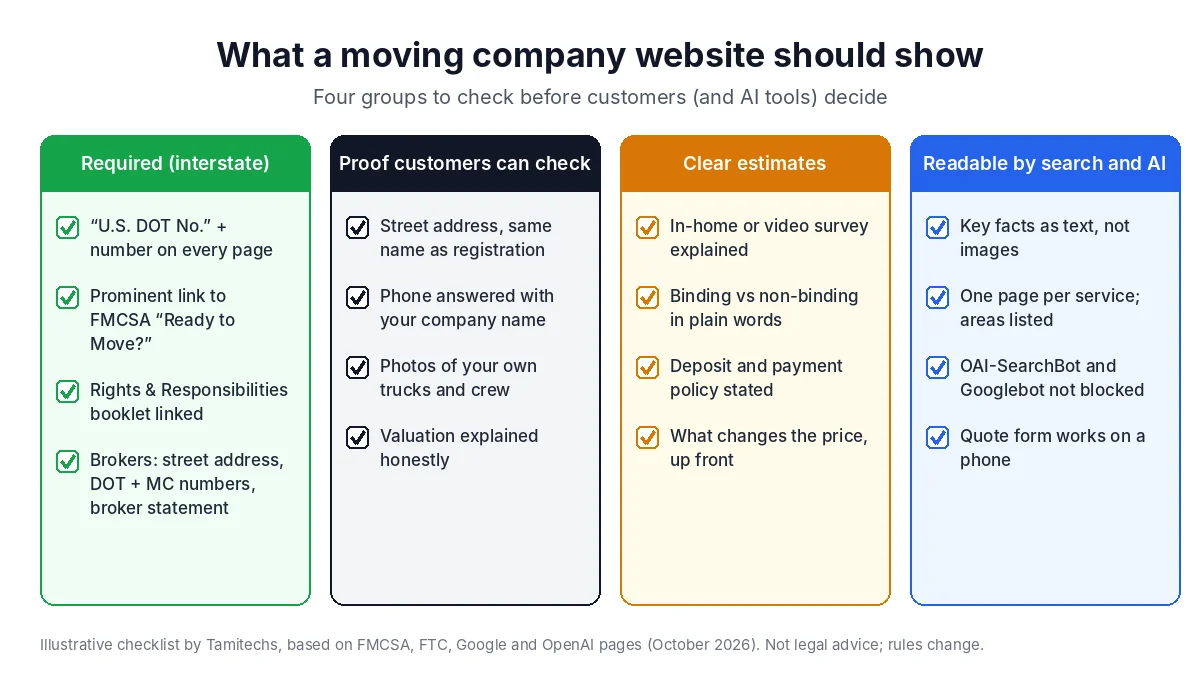
Illustrative checklist by Tamitechs, based on the FMCSA, FTC, Google and OpenAI pages cited in this article. Rules change; check the current text before relying on a detail.
A 30-minute self-audit
Open your site on your phone and work through this list. Anything you can't find in a few seconds, a customer can't either.
- Is "U.S. DOT No." with your number visible on the homepage without scrolling to a hidden page? (Brokers: is your MC number and broker statement there too?)
- Can you reach the FMCSA "Ready to Move?" link and the Rights and Responsibilities booklet from the homepage or the quote page?
- Is there a street address, and does the company name match your registration and Google Business Profile?
- Are the truck and crew photos yours?
- Does the site explain how estimates, deposits and price changes work?
- Are testimonials real, permitted and linked to your full review profiles?
- Does each main service have its own page, and are service areas written out?
- Does your robots.txt allow OAI-SearchBot and Googlebot?
- Can you submit a quote request on your phone in under two minutes?
- Search your company name in ChatGPT, Google and Perplexity. Do the answers get your services, area and phone number right? If not, the diagnostic in Why ChatGPT Recommends Your Competitor walks through what to check next.
None of this guarantees a ranking or an AI recommendation; nobody can promise that. What it does is remove the reasons a careful customer, or an AI tool reading your site, has to doubt you.
Where Tamitechs fits
We build and fix websites for service businesses and run marketing for moving companies, from listings and reputation management to the pages AI tools read. If you'd like a second pair of eyes on your site against this checklist, tell us about your business and we'll start with an honest review of what's there today.
Sources
- BrightLocal: Local Consumer Review Survey 2026
- FMCSA: Protect Your Move, Red Flags
- FMCSA: Protect Your Move
- FMCSA: Ready to Move? brochure (2022 update, PDF)
- 49 CFR 375.207, advertisements (Cornell LII)
- 49 CFR 375.213, information for prospective shippers (J. J. Keller RegSense)
- 49 CFR 375.401, estimates (Cornell LII)
- 49 CFR 371.107, broker advertisements and homepage (Cornell LII)
- J. J. Keller: Household goods rule enforcement delayed until October 31, 2022
- FTC: Consumer Reviews and Testimonials Rule, Questions and Answers
- Google Search Central: Optimizing your website for generative AI features
- Google Search Central: Local business structured data
- Google: MovingCompany type reference
- OpenAI: Overview of OpenAI crawlers